 Memento
Getting started
From zero to a self-maintaining library in about five minutes. You'll need an account with either Anthropic (Claude) or OpenAI — Memento runs on your AI, not a shared one.
1. Create your account
Sign up with an email address and password. Memento is in private beta: if there’s room you’re straight in; if we’re full, your account is saved and we email you when your place is ready. The first thing Memento asks is which AI you already pay for — because if you subscribe to either of these, the agent that maintains your library is already included, at no extra cost:
- ChatGPT (Plus, Pro or Business) — runs Codex. Sign in with ChatGPT, or connect an OpenAI API key instead.
- Claude (Pro or Max) — runs Claude Code. Sign in with Anthropic, or connect an Anthropic API key instead.
- Almost anything else — runs opencode: Anthropic, OpenAI, Google, OpenRouter, Groq, local models and around 170 more. You log in from a terminal Memento opens for you, once per provider, and one connection covers all of them.
You can also skip this step and look around the sample space first. Memento can’t answer questions or file anything until an agent is connected, so the Assistant will keep offering you the connect link until you do.
Your credential is verified with a small test run, then stored encrypted. It is only ever decrypted inside your own private sandbox — the disposable machine where your agent works. You can reconnect, replace, or delete it at any time under Settings → Coding agents, which is an account-level screen — one credential covers every space you have. Which agent and model a given space actually runs is a separate, per-space choice under Settings → Agent & model; see Spaces & tuning.
2. Capture something
Hit Capture and give Memento anything: a half-formed thought, a link worth keeping, the PDF you'll otherwise lose. Then close the tab — analysis happens in the background.
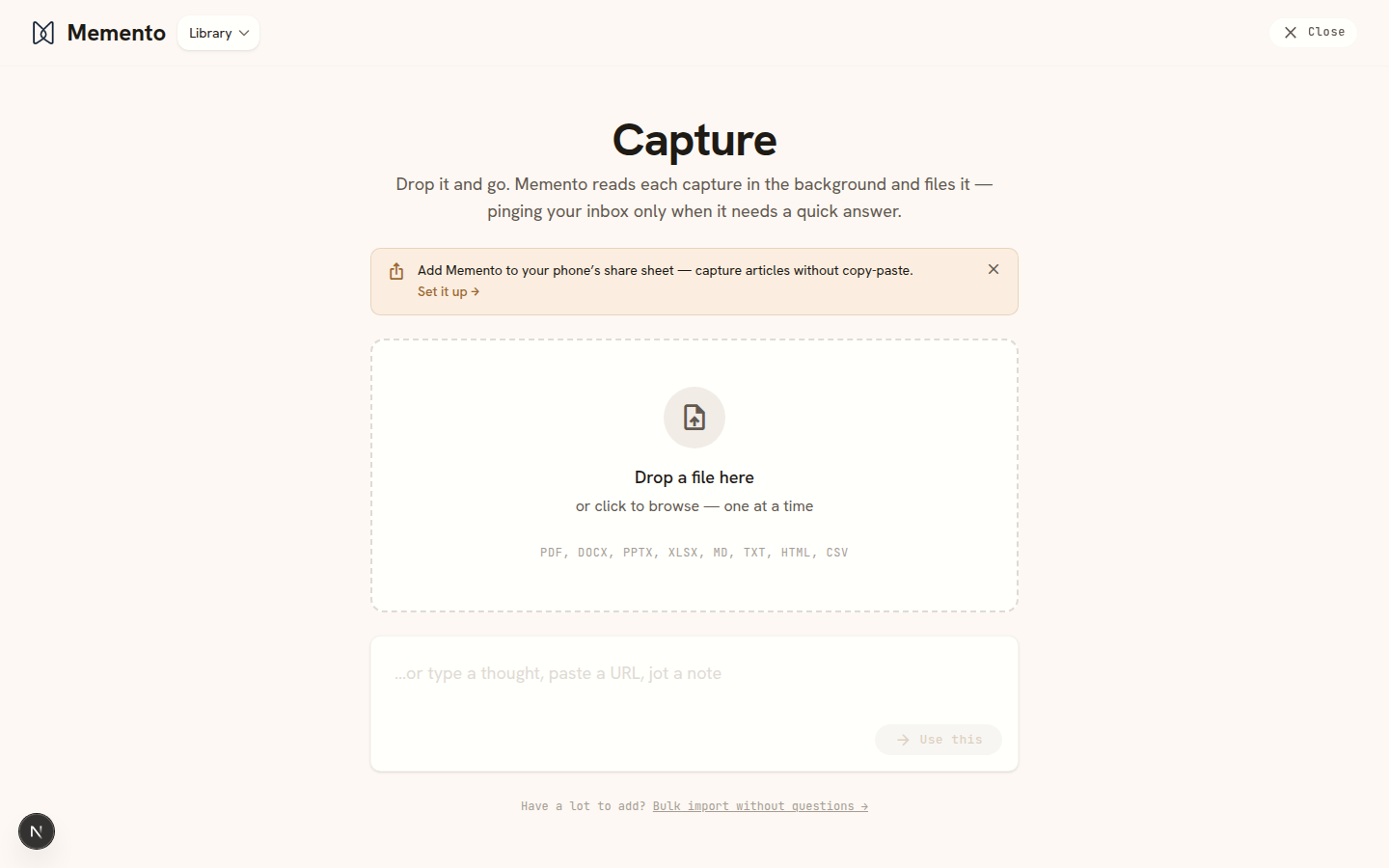
Read more in Capturing, including bulk import and capturing straight from your phone's share sheet.
3. Let it file
Your agent reads each capture, pulls the durable facts onto the right wiki pages, links related pages together, and keeps the original as a read-only source. When something is genuinely ambiguous — “is this Nora the same Nora you already know?” — a quick question appears on Home under Needs your input, and in your Inbox, instead of a wrong guess in your library.
4. Browse and ask
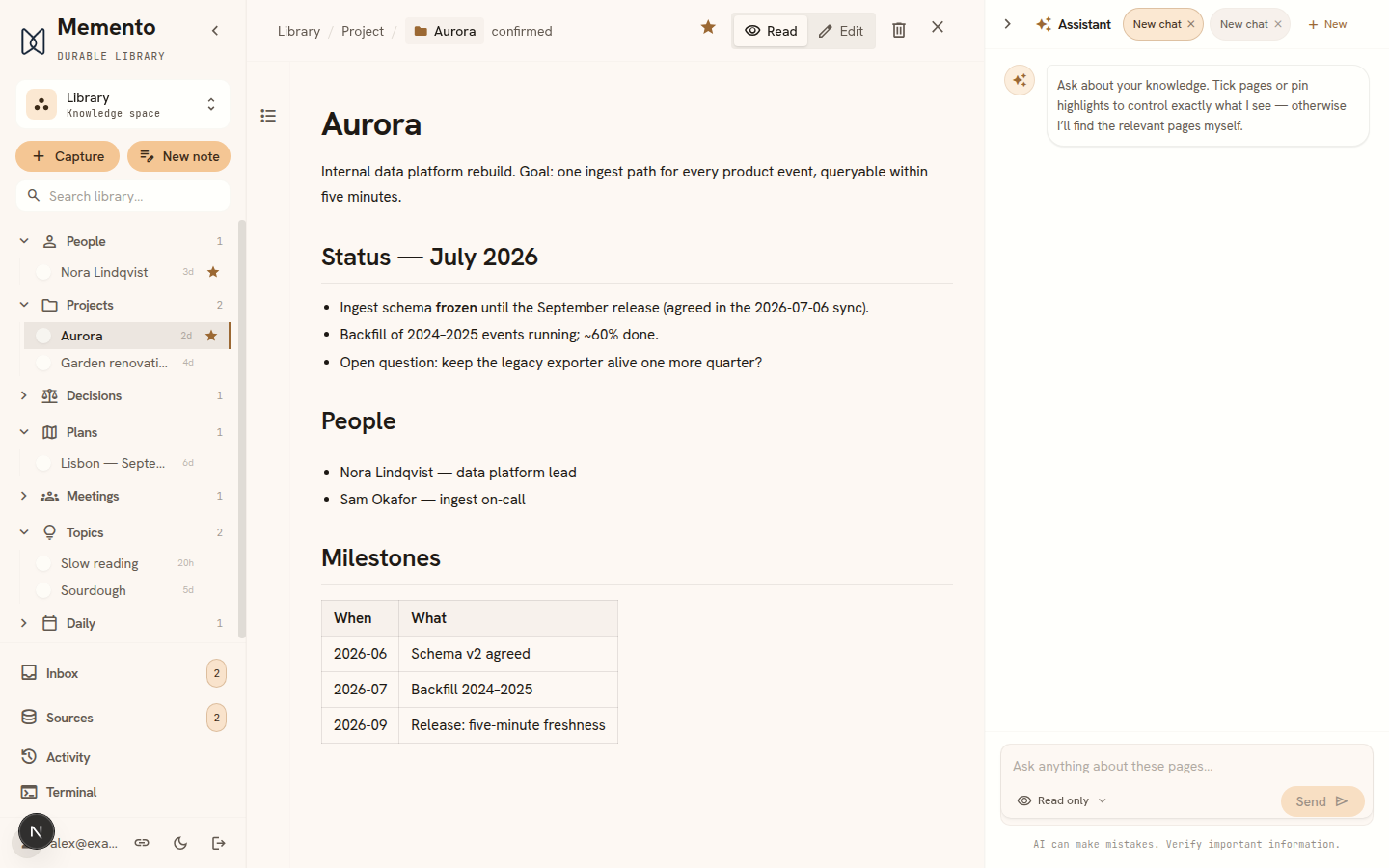
The Library organizes pages into categories (people, projects, decisions, plans…). Open any page to read or edit it. Or skip browsing entirely: ask the Assistant a question and get an answer assembled from your own pages, with citations.
Memento opens on Home: a question box at the top, and below it what needs your input, your recent conversations, what Memento recently organised and how your routines are doing. The sidebar holds the rest — Capture (with New note and Bulk import behind its arrow), Search, then Home, Library, Planner and Routines, your Favourites, and a menu behind your name for Settings, Activity, Terminal, the theme and logging out. On a narrow window or a phone the sidebar opens from the menu button at the top left.
Where to next
- See it in action — a 45-second demo and five short feature clips, all recorded on the real app.
- Meeting notes — record a meeting or send a notetaker; the notes file themselves.
- Library & editor — categories, favorites, editing, inline AI.
- Numbers & calculations — forecasts and budgets that recompute themselves.
- Planner — every action item across every space, in one list.
- The assistant — ask vs. edit mode, reviewing agent changes.
- On your phone — install the app, capture from the share sheet, work offline.
- Sources & trust — how Memento keeps the AI honest.
- How Memento compares — next to Obsidian, Logseq, Notion AI, Capacities and the chat apps: what each does better, and when to pick it instead.